
One Template, Hundreds of Labels: Inside Kallik's Cloud Designer
Every labeling team has a folder somewhere with forty variations of the same carton, saved as forty separate files, because the ingredient list changed for one market and the flavor changed for another and the barcode needed a different expiry format for a third.
None of those are design changes. They're content changes. But because the content was baked into the file, every one of them had to go back through a designer, back through approval, and back onto the launch timeline.
That's the problem Cloud Designer is built to solve. The design lives in one place. The data lives somewhere else. The label is what happens when the two meet.
Why Label Design Gets Duplicated
Three habits cause most of the duplication, and none of them look unreasonable in the moment, but trust us when we say there’s a far better way of doing things. Does the below sound familiar to you?
Content is typed into the artwork
Someone puts the net weight, the lot number, the ingredient panel straight onto the canvas. It's the fastest way to get the first label out and it's also the reason the four hundredth label takes just as long as the first.
Variants are built by copying files
A new market means a new file. A new flavor means a new file. Nobody sets out to maintain a hundred near-identical templates, but we’ve seen it happen time and time again where over time one seemingly reasonable decision gets made at a time and then suddenly it’s an issue.
Nobody is sure which file is current
Design sits outside the system of record, so the artwork and the approved content drift apart quietly. You usually find out at press check.
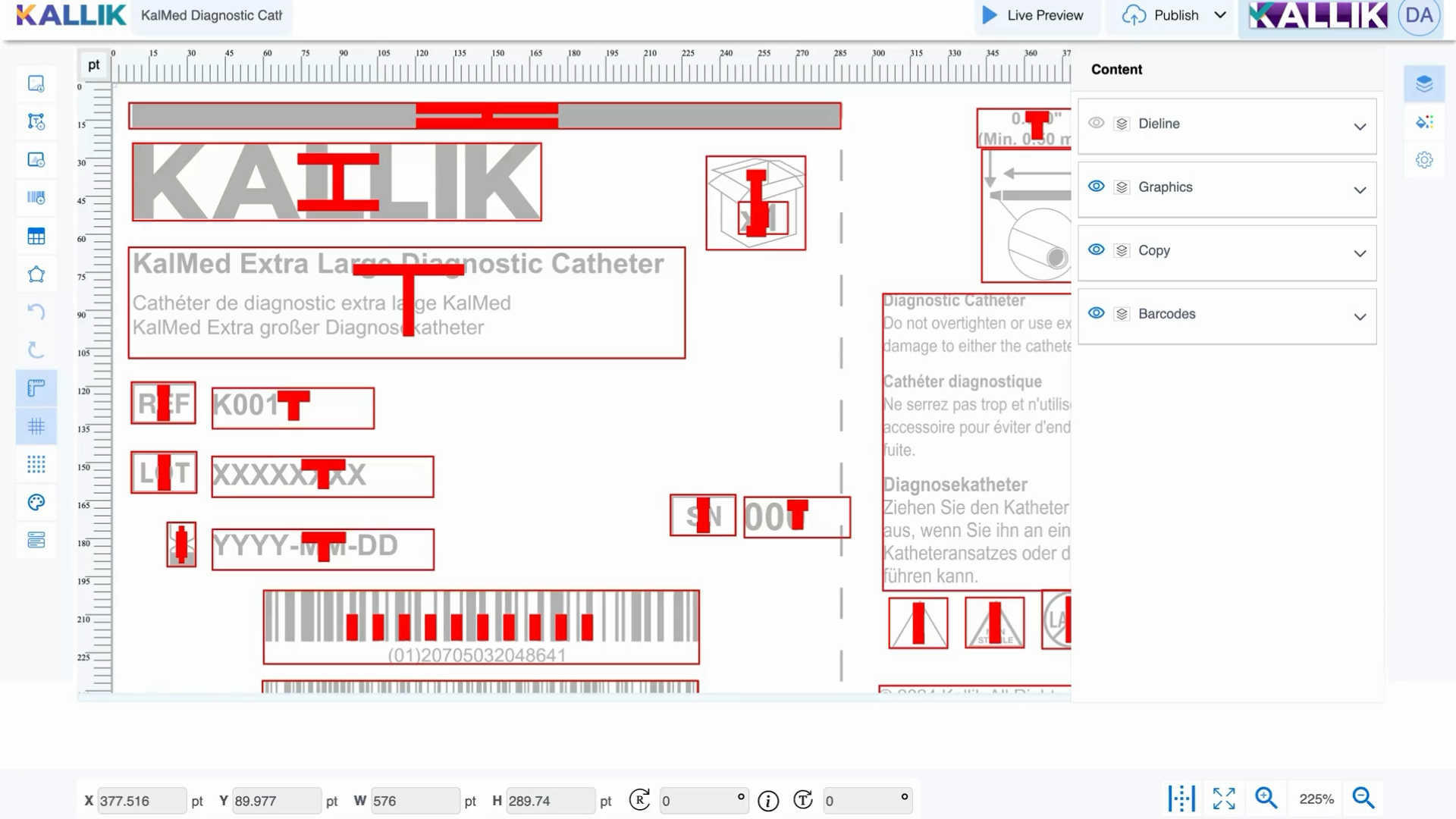
As Tear Hambrey, Solution Consultant at Kallik, explained during our recent walkthrough of the tool, the point of the template is that it stays a template. Barcodes, tables, and copy pull from the project brief rather than being hardcoded, so the design is a structure rather than a finished document.
What Does Cloud Designer Do Differently?
The template is a structure, not a document
A Cloud Designer template is built from four container types: text, image, table, and barcode. Every element on the canvas is one of those four, and every one of them can be tagged to a data source instead of filled in by hand.
Those containers sit across distinct layers. The background trace carries the imagery, usually product photography. The die line holds the packaging measurements and guidelines. Graphics and copy sit on their own layers above them. Because the die line and the background are separate, swapping a pack size or a photograph doesn't disturb anything else on the label.
That separation is what makes variants cheap. Duplicate the template, change the die line or the background, and the entire content structure comes with it intact.
Barcodes that follow the brief
Barcodes are managed separately from the rest of the design, and they link to the requirements in the project brief rather than being drawn into the template.
In practice that means one template handles expiry dates, lot numbers, and market-specific symbologies without a designer touching it again. The container is configured once, including the quiet zone needed for reliable scanning, and it produces the correct code for whatever the brief calls for.
Those configurations get established during discovery, based on what your products and your markets actually require.
Dynamic tables for the panels that change most
Ingredient panels, nutrition tables, hazard statements, and multi-language content are usually the messiest part of a label, and they're the part that changes most often.
Dynamic table containers give you control at the individual cell level, including border thickness, border color, and content type. Cells populate from the project brief, so you can insert an approved phrase, a managed asset, or free text into a specific field without rebuilding the table.
Dynamic tables replaced the older composite grid system, and the practical difference is data integration. The old grid was a layout tool. This one is a connection point.
Color, variants, and spot color accuracy
The color library manages text color across the template and supports multiple color tables, which is how variant families get built. Different flavors, different market schemes, same underlying design.
Pantone colors can be imported as spot colors and then verified through the asset inspector, so you can confirm the actual color percentages rather than trusting what the file looks like on screen. For anyone who has had a print run rejected over a brand color, that verification step earns its place.
Canvas setup is equally flexible. Size the artboard in inches, millimeters, or points, and set snap-to-grid behavior and guideline colors to suit how your designers work.
Governance that comes as standard
Design tools generally treat version control as somebody else's job. Cloud Designer doesn't. Templates lock when someone is working in them, and unlocking requires the right permissions through the Asset Manager. Open a published template that already has a draft in progress and the system tells you, then asks whether you want to discard that draft, create a new version, or carry on with it. Publishing requires a reason, which is written to the audit trail and attached to the version it replaces.
Live preview only renders when the template is actively linked to a form definition and a project brief, which means what you see is the real artwork with real data, not a mockup that might be a version behind.
What This Actually Means For Your Business
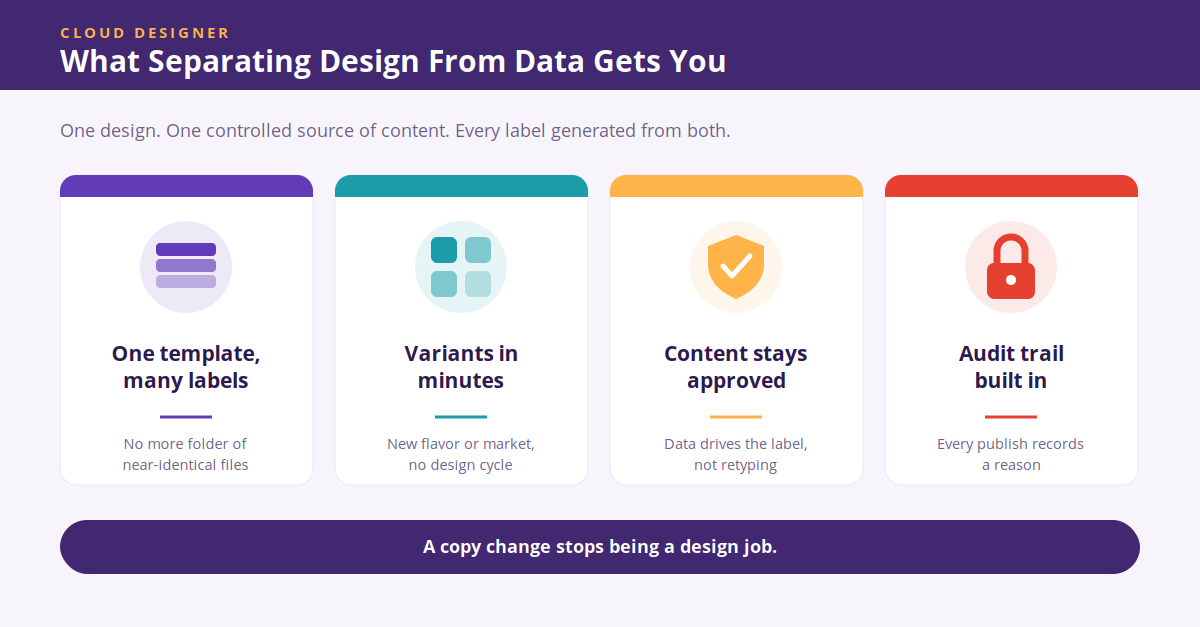
In the long-run, this means fewer templates to maintain, faster variant creation, and artwork that can't drift away from approved content. Pharmaceutical and medical device teams get language variants and regulatory content driven from a controlled source rather than retyped. Cosmetics and FMCG teams can launch a flavor or a market extension without a full design cycle. Chemical teams get hazard content and transport symbols pulling from the same data everyone else is working from.
Cloud Designer is a tool that rewards by connecting your data end to end and simplifying your label and artwork management dramatically all in the name of better oversight, better efficiency, and better accuracy.
If your team is currently maintaining a folder of near-identical files, there's a better version of this available. Speak to our labeling and artwork experts by filling in a form here, or book a demo here.
Read our free guide on getting AI-ready
FAQs on Cloud Designer
What is Cloud Designer?
Cloud Designer is the template design environment inside Veraciti™. Users build label and packaging templates from text, image, table, and barcode containers, then link those containers to data held in Veraciti so that a single template can generate many different labels.
How does Cloud Designer separate design from content?
Containers on the template are tagged to a form definition, which maps data fields to the elements on the artwork. When a template is linked to a project brief, the containers populate with the approved content for that job. The design controls layout and brand, and the data controls what the label says.
Can one template produce multiple label variants?
Yes. Multiple color tables support variant families such as different flavors or market schemes, and templates can be duplicated and modified at the die line or background layer to cover pack size and imagery changes without rebuilding the content structure.
How are barcodes handled in Cloud Designer?
Barcodes sit in their own container type and link to the requirements defined in the project brief rather than being hardcoded into the template. A single configured container can carry expiry dates, lot numbers, and market-specific requirements, with the white space needed to keep the code scannable.
Does Cloud Designer keep an audit trail?
Publishing a template requires the user to enter a reason, which is recorded in the audit trail against the version it supersedes. Templates also lock while in use, and the system flags existing drafts before a published template is reopened, so version history stays intact.